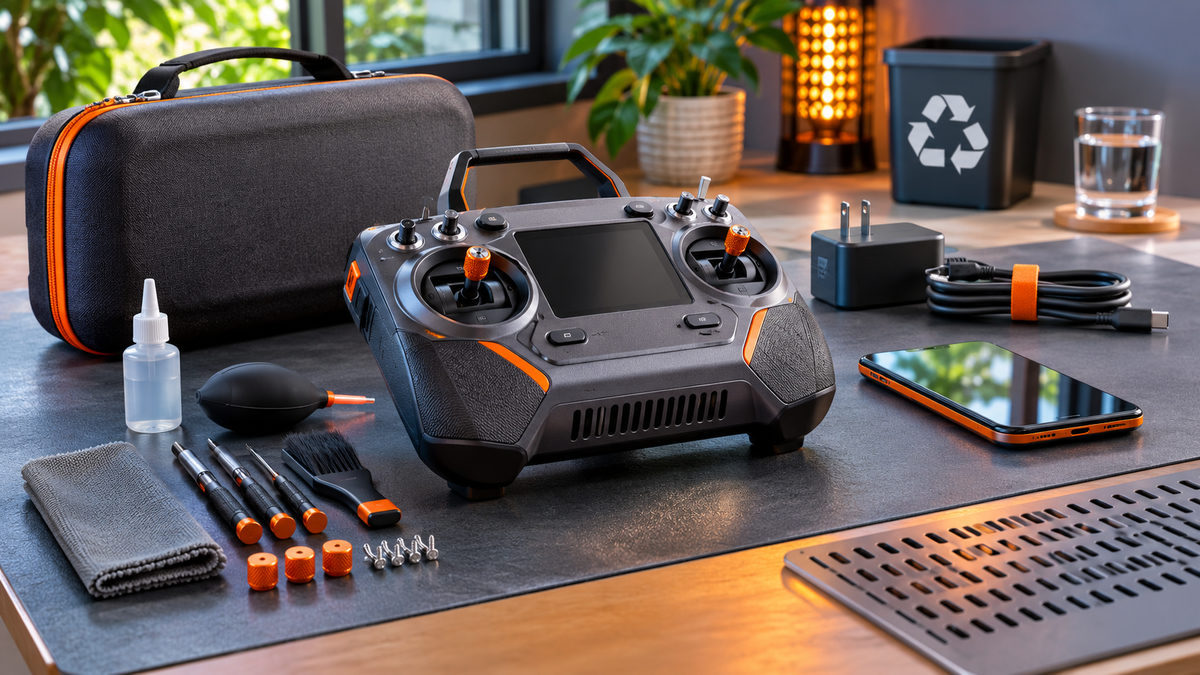
Before switching on an unfamiliar device, how do you know what it can safely do? RabBeats RC 10000: Product Information and Safety Considerations starts with that essential question. The supplied source contains only a product title, with no confirmed manufacturer specifications. Any claims about its category, function, power rating, or compatibility therefore remain unverified.
That lack of information makes guesswork especially risky. Two products sharing a model name may still use different batteries, chargers, controls, or safety systems. This guide instead covers positive identification, careful setup, hazard recognition, responsible maintenance, and authoritative support. Keep the RC 10000 switched off until reliable, model-specific documentation answers every important question.
1. RabBeats RC 10000 Product Information and Intended Use
Identify the Exact Product
At present, the supplied information confirms only the name RabBeats RC 10000. It does not show whether the product is a controller, vehicle, charger, appliance, audio device, or something else. Its dimensions, electrical ratings, materials, controls, and operating limits are also unconfirmed. Treat each missing detail as unknown. Do not fill the gaps with familiar-looking specifications.
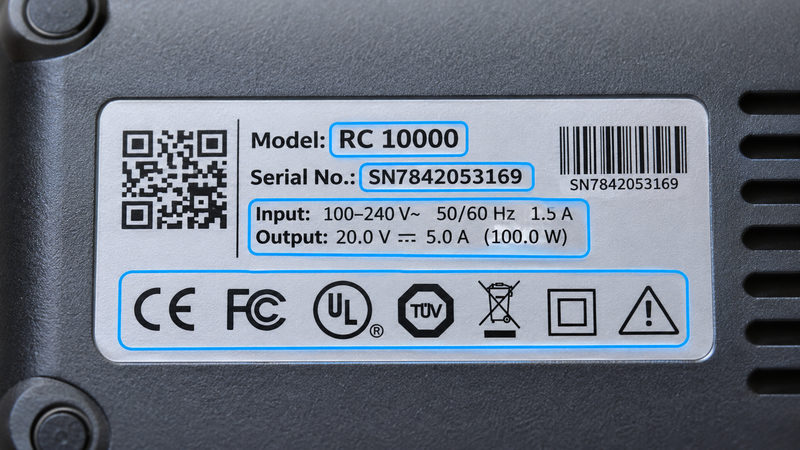
Begin by checking the product and its packaging for a permanent identification label. You may find it beneath the housing, inside a battery compartment, or next to the power connection. Record the complete model number, serial number, manufacturer name, production code, and electrical rating. Take clear photographs of certification symbols, warning labels, QR codes, and regional compliance markings as well.
Compare this information across the product, box, receipt, and documentation. “RC 10000,” “RC-10000,” and “RC10000A,” for example, could refer to different versions. Regional editions may also have different voltages, plugs, radio frequencies, or included accessories. If labels conflict or appear altered, incomplete, or detached, stop there.
Avoid Similar-Name Assumptions
Never use specifications from a similarly named product for this unit. A charger might fit physically while delivering the wrong voltage, polarity, or charging protocol. What looks like a harmless substitution could damage the battery or create a fire risk. Manuals, mounts, cables, batteries, and replacement parts must also match the exact model.
Official documentation should explain the product’s approved purpose and operating environment. It should also cover prohibited uses, minimum user age, supervision needs, and environmental restrictions. Check whether the device is approved for indoor use, outdoor use, commercial work, or recreational activity. Do not invent a use the manufacturer has not approved.
Use a simple evidence standard when assessing claims. Information printed on the product or published by the manufacturer carries the most weight. Retailer descriptions, marketplace listings, customer comments, and automated summaries may contain errors. Estimates based on appearance or model names are no substitute for official technical data.
Before use, make sure every identifier refers to the same product version. The manual should show the same controls, connectors, warnings, and electrical ratings as the unit itself. If you cannot identify the product with confidence, do not operate it. Contact the manufacturer or seller whenever the product, packaging, receipt, and manual disagree.
2. Features, Technical Specifications, Package Contents, and Compatibility
Build a Verified Specification Record
Create a written specification record instead of trusting memory. Confirm physical details such as dimensions, weight, housing materials, control layout, ports, indicators, and mounting points. Note any seals, ventilation openings, guards, handles, or protective covers. Copy environmental ratings exactly as published, including all stated limitations.
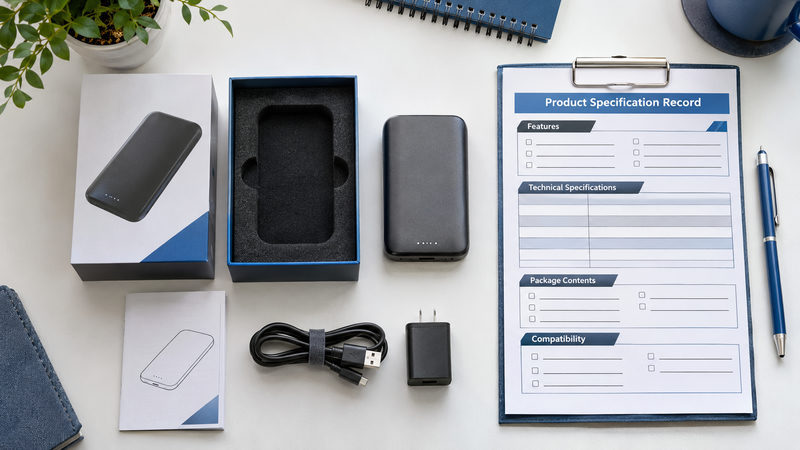
Then document every power requirement using an authoritative source. Key details include input voltage, current, wattage, connector polarity, and the approved adapter model. If the product contains a battery, verify its chemistry, nominal voltage, capacity, cell arrangement, and replacement designation. Confirm the charging method, estimated charging time, operating time, and permitted charging temperature too.
Do not assume the number “10000” describes battery capacity. It might indicate a model series, a marketing label, a capacity value, or something entirely unrelated. Even a genuine 10,000-unit capacity claim needs a stated measurement and test condition. Rely on the exact wording found on the label and in the official manual.
Verify Features and Package Contents
Check every advertised feature against the official manual, manufacturer page, packaging, or permanent model label. Look closely at wireless functions, operating modes, protective systems, displays, alarms, lighting, and automatic shutdown claims. Retailer listings sometimes blend details from several versions. Make sure the illustrations and instructions actually match the unit you have.
Check the package contents before assembling or charging anything. Depending on the confirmed product category, the box may include:
- The main RabBeats RC 10000 unit with intact identification and warning labels.
- An approved charger, power adapter, charging cable, or removable battery.
- Mounting hardware, fasteners, tools, guards, covers, or protective components.
- Printed setup instructions, safety notices, warranty documents, and regional compliance information.
Do not assume that everything pictured in an advertisement is included. Some images feature optional mounts, spare batteries, adapters, cases, or decorative accessories. Consumables and region-specific plug attachments may also be sold separately. Compare the official contents list with the delivered package before throwing away any packing material.
Confirm System and Accessory Compatibility
A part that fits is not necessarily compatible. Verify the connector type, voltage, current, polarity, communication standard, software requirement, and firmware version. Check dimensions, mounting patterns, load limits, and regional power standards as well. Even a cable with the right plug may use incompatible wiring or data protocols.
Use only manufacturer-approved batteries, chargers, cables, mounts, and replacement parts. Match both the full accessory code and the supported product revision. Never choose a battery based only on its shape, claimed capacity, or connector appearance. Do not force a plug, reverse polarity, remove locating tabs, or alter a mount.
Operating limits need direct confirmation too. Verify indoor or outdoor approval, temperature range, humidity limits, water-resistance rating, duty cycle, range, capacity, and required clearance. Find out whether the device needs constant ventilation or scheduled cooling periods. Without an official rating, assume the unit has no protection from water, dust, heat, or heavy loads.
Buyer Verification Checklist
Before buying, make a record linking every important claim to its source. It can prove useful for returns, warranty requests, and future troubleshooting. Five minutes of checking may prevent an expensive accessory mistake. Record these details:
- Seller name, purchase channel, and authorized-retailer status.
- Complete model identifier, product revision, serial format, and intended region.
- Package version, included equipment, optional accessories, and plug type.
- Warranty status, coverage region, return period, and return conditions.
- Source for every specification, feature, compatibility claim, and operating limit.
Save photographs or copies of the relevant labels and documents. A polished listing, however, never overrules the product’s permanent rating plate. If the photos show several versions, ask the seller for proof of the exact model. Walk away from the purchase when essential power, battery, or safety information is unavailable.
3. RabBeats RC 10000 Setup and Operating Instructions
Prepare Before Assembly
Find the official manual for the exact model before touching any power control. Read all warnings, symbols, diagrams, assembly steps, and regional instructions. Check that the illustrated label and connector layout match your unit. A generic quick-start sheet cannot settle conflicts involving power, battery chemistry, or safety restrictions.
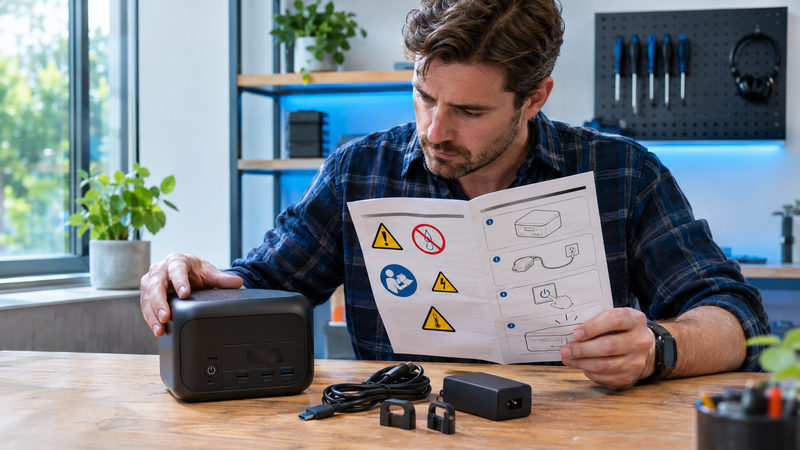
Examine the entire product in good light. Inspect the housing, battery area, plug, cable, connectors, controls, fasteners, seals, and included accessories. Watch for cracks, deformation, moisture, loose parts, corrosion, exposed conductors, or shipping damage. Do not assemble or power a unit that raises concerns.
Pick a stable, dry, well-ventilated place for setup. Keep the area clear of combustible materials, direct sunlight, excessive dust, water, and strong heat sources. Children and pets should stay away from the workspace. Leave enough room to disconnect the power quickly if something goes wrong.
Confirm Power and Install Accessories
Before connecting anything, compare the product label with the charger or power supply. Voltage, current, polarity, frequency, and connector requirements must all match. Confirm that the setup is compatible with the local electrical system and regional plug standard. Do not add a travel adapter unless the manufacturer approves that exact arrangement.
Follow the manual’s assembly order step by step. Fit components in the direction shown, paying attention to polarity markings, locking tabs, and torque guidance. Use only supplied or approved fasteners and tools. If a component does not align smoothly, never force it.
After assembly, inspect every guard, cover, latch, mount, and battery door. Make sure moving parts travel freely without rubbing against cables or protective surfaces. Seals should sit evenly, and connectors should lock firmly. If you cannot account for one of the pieces, stop and check the package list again.
Charge and Start the Unit Carefully
For the initial charge, use only the specified charging equipment. Set the unit on a nonflammable surface and leave all ventilation openings unobstructed. Supervise this first charging session and check for unusual heat. If you notice swelling, odor, smoke, sparking, or abnormal noise, disconnect the power safely.
The product might need activation, pairing, calibration, configuration, or a basic functional test. Follow the manufacturer’s precise sequence whenever one is provided. Calibration, for example, may require a level surface and a particular control position. Startup instructions from another RC product do not apply here.
Run the first test at the lowest practical setting in a controlled area. Keep other people at a safe distance and be ready to shut the product down at once. Watch for unexpected indicator colors, patterns, alarms, or error codes. Use the model-specific manual to interpret every control and signal.
Operate and Shut Down Correctly
Learn the basic functions from the exact manual, not from guesswork. A familiar-looking button might trigger pairing, movement, heating, reset, or something else. An indicator color may mean charging on one device but failure on another. If an unidentified control causes unexpected behavior, stop testing it.
Stay within every confirmed operating limit. Follow the published restrictions for temperature, moisture, range, runtime, load, speed, and ventilation. Stop operation before reaching a required cooling or duty-cycle threshold. Never bypass an automatic shutdown or protective interlock.
To shut down safely, end normal operation and turn off the main power. Disconnect the charging equipment next if the instructions call for it. Let hot components cool before handling, covering, or storing the unit. Secure all removable parts as the manufacturer directs.
Observe every published minimum-age requirement and supervision rule. Inexperienced users should have capable adult supervision. Unless the manufacturer explicitly classifies the RC 10000 as a toy, do not treat it as one. If you still cannot find the manual, send RabBeats support clear photographs of the label and serial number rather than experimenting.
4. Safety Warnings: Charging, Electrical, Heat, Water, and Fire Risks
General and Battery Precautions
Do not operate a product that is damaged, wet, incomplete, modified, recalled, or missing protective parts. Before each use, inspect its guards, covers, insulation, fasteners, connectors, and battery surfaces. Investigate any unfamiliar residue, odor, noise, or warning indicator. A device can look functional while hiding impact or moisture damage.
While the unit is running, keep hands, hair, loose clothing, pets, and bystanders away from possible hazards. These could include moving, hot, sharp, pressurized, or energized components. Keep an unobstructed path to the power switch and plug. If control becomes unpredictable, stop immediately.
Never puncture, crush, open, bend, short-circuit, or burn a battery. Do not use one that is swollen, leaking, corroded, overheated, or damaged by impact. Keep its terminals away from keys, tools, coins, and other metal objects. A short circuit can produce intense heat in seconds.
Charging and Electrical Safety
Charge the product only with equipment verified for its exact model and battery. Use a stable, nonflammable surface in a well-ventilated area with clear exits. Stay within the documented temperature range and follow all supervision requirements. Avoid overnight or unattended charging unless the manufacturer specifically allows it.
Keep connectors clean and dry, and check for bent contacts. Never use damaged extension leads, loose outlets, or overloaded power strips. Do not bypass grounding, fuses, interlocks, temperature sensors, or protective circuits. Damaged external cables should be replaced only through an approved service process.
Stop charging if the device grows unusually hot or begins to change shape. Smoke, chemical odors, sparks, hissing, popping, or repeated electrical shutdowns also demand attention. Disconnect the power only if you can do so safely. Do not touch a unit that is hot, leaking, smoking, or visibly energized.
Heat, Fire, Water, and Environmental Risks
If the product starts smoking or catches fire, move people and pets away at once. Contact local emergency services if there is rapid battery heating, flame, or an electrical hazard you cannot control. Avoid inhaling fumes or touching leaked material. Follow local emergency guidance instead of attempting a dangerous recovery.
Unless documented approval says otherwise, treat the RC 10000 as unsuitable for rain, immersion, wet surfaces, or high humidity. Any ingress-protection rating must apply to the exact product and operating conditions. Even rated products may have limits involving depth, duration, pressure, or connector covers. “Water-resistant” does not mean “waterproof.”
Keep the product away from direct sunlight, freezing conditions, extreme heat, flammable vapors, and excessive dust. Its ventilation openings must stay clear during use and charging. Never leave it stored in a hot vehicle. Heat can speed up battery deterioration and raise pressure inside damaged cells.
Think about whether each user can recognize a warning and carry out an emergency shutdown. Vulnerable users may need closer supervision, easier access to controls, or a simpler operating area. Check any published guidance about medical-device interference as well. After use, look for loose parts, damaged insulation, leaks, debris, lingering heat, odors, and unusual sounds.
5. Cleaning, Maintenance, Transport, Storage, and Troubleshooting
Cleaning and Routine Care
Switch the product off and disconnect external power before cleaning it. Remove the battery only if the manual allows that step. Let motors, batteries, adapters, and other warm parts cool completely. Secure moving components before putting your hands near them.
Use only cleaning materials and methods approved by the manufacturer. The instructions may permit a soft cloth or a small dry brush, but check before using either. Do not immerse or pressure-wash the product, and never direct sprays into openings. Avoid abrasive tools and strong solvents unless they are explicitly authorized.
Follow the official maintenance schedule for all relevant work. Tasks may include inspections, fastener checks, lubrication, filter care, firmware updates, battery tests, or consumable replacement. Keep a record of dates, symptoms, replaced parts, and service-provider details. These notes can help with troubleshooting and warranty claims later.
Transport and Storage
Shut the unit down completely before transporting it. Protect its controls, displays, connectors, and protruding parts from impact. Secure the product so it cannot move around inside its container. Isolate removable batteries whenever the manufacturer or carrier requires it.
Lithium batteries may be subject to special carrier rules based on their energy rating, condition, packaging, and method of transport. Check the current requirements directly with your chosen carrier. Never ship a battery that is swollen, leaking, recalled, or overheated without professional instructions. Hiding battery damage puts handlers and vehicles at risk.
Store the product clean and dry in a cool, ventilated place. Keep it away from sunlight, moisture, metal objects, combustible materials, children, and pets. Protect it from crushing loads and accidental activation. If the unit is still warm, do not cover it.
For long-term battery storage, use the charge level and inspection interval specified by the manufacturer. Follow its approved temperature range and recharging directions too. Not every battery should be kept fully charged or completely depleted. Storage needs differ between chemistries and control systems.
Safe Troubleshooting and Repair Limits
If the product will not power on, start with the official troubleshooting process. Check a verified power source, the approved charger, battery seating, and visible external connections. Inspect only those user-accessible fuses specifically identified in the manual. Never open a sealed housing to hunt for an internal problem.
When charging or performance issues occur, record the error indicators and the circumstances around the failure. Stop testing after excessive heat, swelling, odor, arcing, repeated shutdown, liquid exposure, or impact damage. If it is safe, disconnect the unit and move people away. Repeated attempts may make an electrical or battery fault worse.
Smoke, sparks, leakage, burning odors, abnormal noise, damaged insulation, and uncontrollable operation all require an immediate shutdown. Severe overheating does too. Do not approach the product if disconnecting it would expose you to flames, fumes, or energized parts. Call emergency or qualified service personnel when appropriate.
Attempt only repairs and part replacements that the manual explicitly authorizes. Qualified technicians should handle internal electrical work, battery-pack repairs, structural problems, and safety-system faults. Never alter the wiring, firmware, chargers, enclosures, batteries, or load-bearing parts. Unauthorized changes may create hazards, affect compliance, and void warranty coverage.
6. Official Manual, Warranty, Certifications, Support, and Disposal
Find and Authenticate Official Information
Check the manufacturer website, verified support portal, product QR code, model-specific manual, and permanent label. An authorized retailer may also supply documentation for the correct regional version. Regional regulatory databases can help verify some certification identifiers. Search with the complete model code, not just “RC 10000.”
Before relying on a downloaded document, compare its manufacturer contacts, model number, label illustration, and certification details with the product. Check the serial format, packaging, and purchase receipt too. A shared product name alone does not prove the document is authentic. Avoid instructions that call for unsafe procedures or conflict with the permanent electrical label.
Check every region-specific certification mark and declaration. Make sure each identifier belongs to the exact model and manufacturer. A logo printed on the product, or a claim in a marketplace listing, is not proof of compliance. Certification for one regional version may not apply to another.
Warranty, Support, Parts, and Disposal
Read the warranty period, geographic restrictions, proof-of-purchase requirements, and exclusions. Confirm the approved service process, shipping responsibility, and rules for third-party parts. Ask whether modifications or unauthorized repairs will cancel coverage. Keep the receipt, packaging labels, and all service correspondence.
Gather complete evidence before contacting RabBeats customer support. Provide the model number, serial number, purchase date, seller, photographs, symptoms, and error indicators. Include the safe troubleshooting steps you have already tried. Clear details help support staff tell the difference between a setup problem and possible damage.
Buy exact-match, approved replacement components only from the manufacturer or an authorized supplier. Never substitute batteries, chargers, fuses, or electrical parts simply because they look alike. Check the product revision and regional compatibility before installation. Save the invoices and packaging for every replacement part.
Do not throw batteries or electronic components into household waste where local rules forbid it. Use designated battery, electronic-waste, retailer take-back, or municipal recycling services instead. If a battery is swollen, leaking, or overheated, isolate the area and ask for professional guidance. Do not mail or transport it until local hazardous-waste authorities provide safe instructions.
Conclusion
Using the RabBeats RC 10000 safely starts with identifying the exact model and finding authoritative documentation. Since detailed product data was not supplied, its specifications and compatibility remain unconfirmed until reliable sources verify them. The same applies to operating limits, charging requirements, certifications, and repair procedures. Above all, never replace missing evidence with assumptions drawn from a product name.
Before buying or using the RC 10000, photograph the complete identification label. Obtain the exact official manual, then verify every power, accessory, and compatibility requirement. Inspect the product carefully and retain the receipt, packaging details, and warranty documents. If any discrepancy remains, contact RabBeats customer support before connecting power or starting operation.