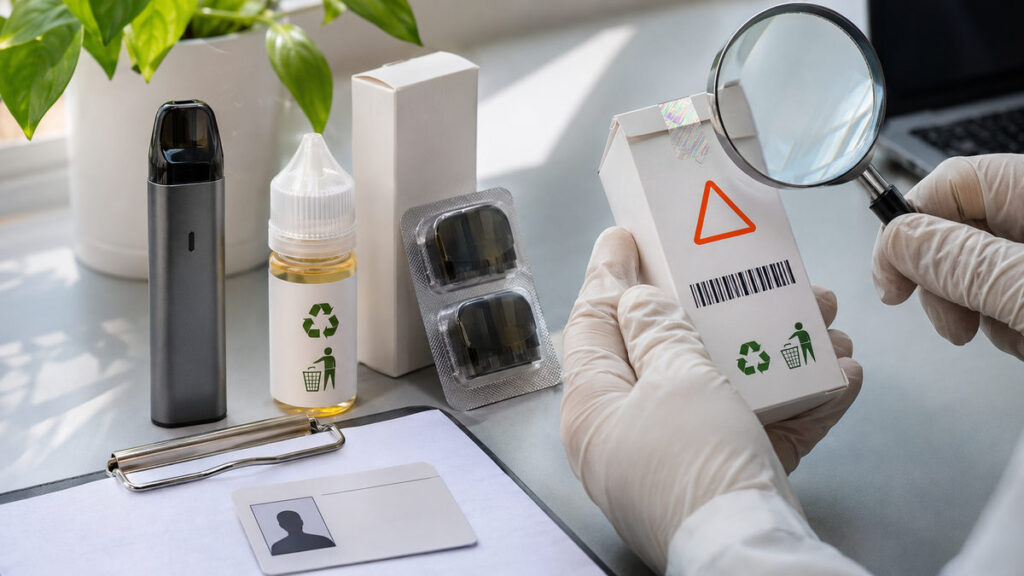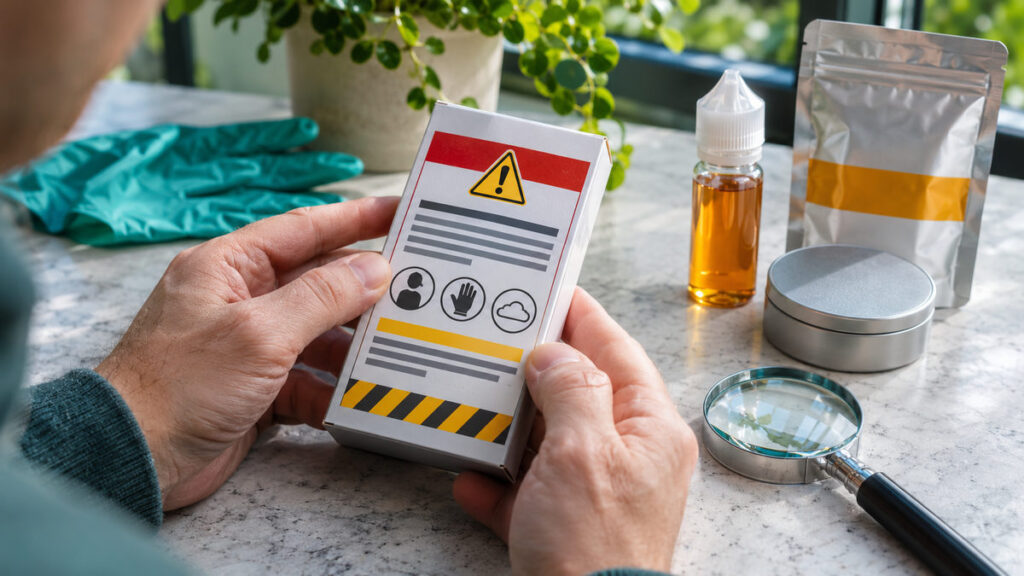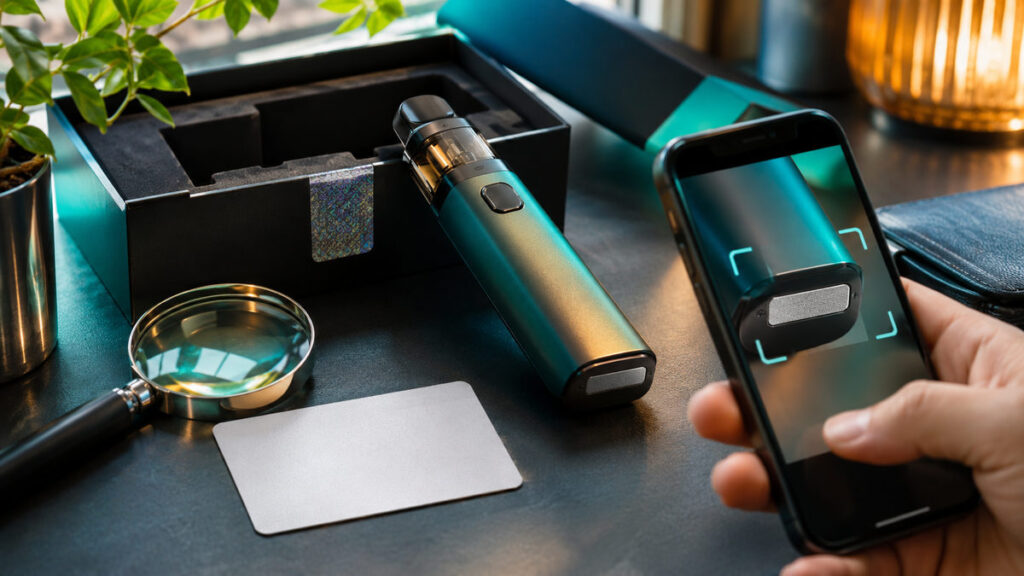
Could one tiny code determine whether a replacement coil fits safely? Absolutely. That is why learning how to interpret a vape model code matters more than you might expect. Similar-looking markings can identify a model, an individual device, a production run, or even a retail package. Mix them up, and you risk misidentifying the product, hurting its performance, or choosing an unsafe component.
The good news is that you do not have to guess what each character means. A reliable approach compares the code with the device’s physical features, packaging details, and official product documentation. Secure verification tools may also help you check authenticity. This guide walks through a practical, brand-neutral method and explains when you still need confirmation from the manufacturer.
1. What Is a Vape Model Code?
A vape model code is an identifier assigned by the manufacturer to a device family, version, configuration, or market variant. It may contain letters, numbers, or both. Take the fictional code ARX-P2-EU, for example. It could refer to a series, a second version, and a European variant—but only the fictional manufacturer could confirm what those characters actually mean.
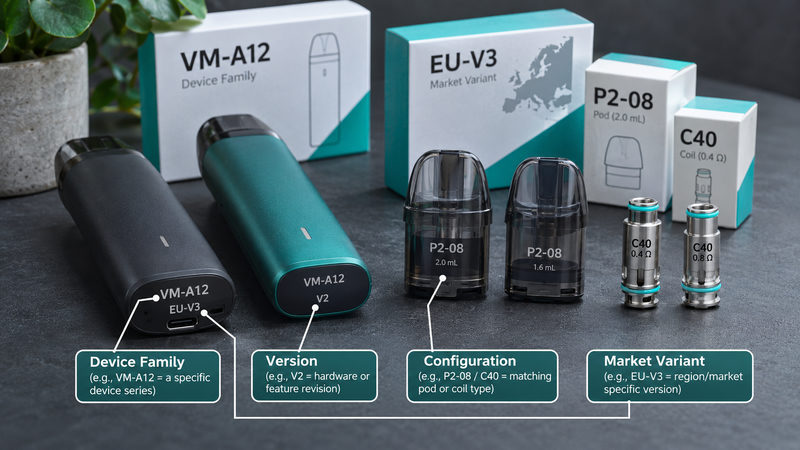
Manufacturers use model identifiers to organize products that are closely related. One device family might come in several battery capacities, colors, pod systems, and regional editions. The identifier helps support teams tell apart products that may look nearly identical. It also gives retailers and distributors a consistent reference when ordering inventory.
Why these identifiers matter
A dependable model identifier can point you to several important records. It may help you find the right manual, safety notice, firmware package, or replacement component. Manufacturers also use these identifiers for warranty claims and product recalls. Regulators and distributors may rely on related codes to track products as they move through the supply chain.
- Documentation: It helps locate operating instructions and technical specifications.
- Replacement parts: It narrows the search for compatible pods, coils, cables, and chargers.
- Customer support: It tells support staff which version you own.
- Safety actions: It may identify products included in a warning or recall.
- Inventory: It distinguishes closely related configurations and regional packages.
There is no universal model-code format across the vape industry. One brand may use “P” for pod, while another uses it for power. The number “2” could indicate a generation, capacity, color, or package quantity. So, never decode a model by making assumptions about individual characters alone.
Production conventions can change without much notice, too. A suffix may have one meaning in an early product line and a completely different meaning later. Think of the full code as a lookup key first, not a technical explanation. Whenever safety or compatibility rests on the answer, official documentation should have the final word.
2. Model Number, Serial Number, SKU, Batch Code, and Authentication Code
You may find several identifiers on the same device or package. They can look alike, but they answer different questions. A model number generally tells you what type of product you have. A serial number, by contrast, usually identifies one specific unit.
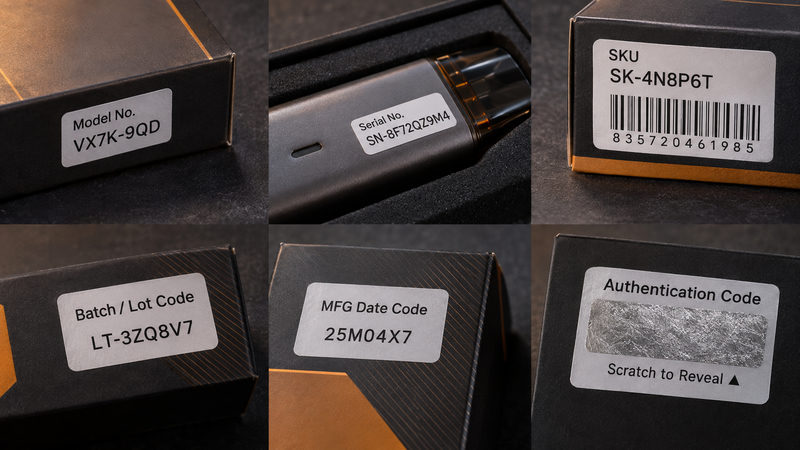
What each code usually does
- Model number: Identifies a product family, configuration, revision, or regional version.
- Serial number: Identifies one device for service, warranty, registration, or manufacturing inquiries.
- SKU: Helps a retailer or distributor manage a particular stock item.
- Batch or lot code: Connects several units made during the same production run.
- Authentication code: Supports a manufacturer’s anti-counterfeit verification process.
- Firmware version: Identifies installed software rather than the device’s physical model.
The same model number may appear on thousands of matching devices. A serial number should usually be different for each individual unit. That means a vape serial number lookup is not the same as a product-model search. Looking up a serial may require a private support system, a registration page, or direct contact with the manufacturer.
Batch codes have a different job. Manufacturers use them to investigate defects, material changes, or production conditions affecting a group of products. After a complaint about a leaking pod, for example, customer support might request both the model and lot number. One identifies the product type; the other identifies its production run.
Which identifier should you use?
Use the model number to check manuals, general specifications, and replacement-part compatibility. Use the serial number for questions about an individual warranty or device-specific service. A retailer’s SKU may help you reorder the same packaged product, but that code may be meaningless outside the retailer’s own inventory system.
Firmware support may depend on both the hardware model and its revision. Software made for another revision could disable features or leave the device unusable. Follow only the manufacturer’s official update instructions. Two devices looking alike or sharing a similar name is not enough reason to install the same firmware.
Authentication numbers belong in the manufacturer’s secure verification system. They do not automatically tell you about coil compatibility, electrical limits, or battery specifications. Even a successful result confirms only what that verification system reports. It cannot independently prove that every component in the package is still original or safe.
Protect unique codes
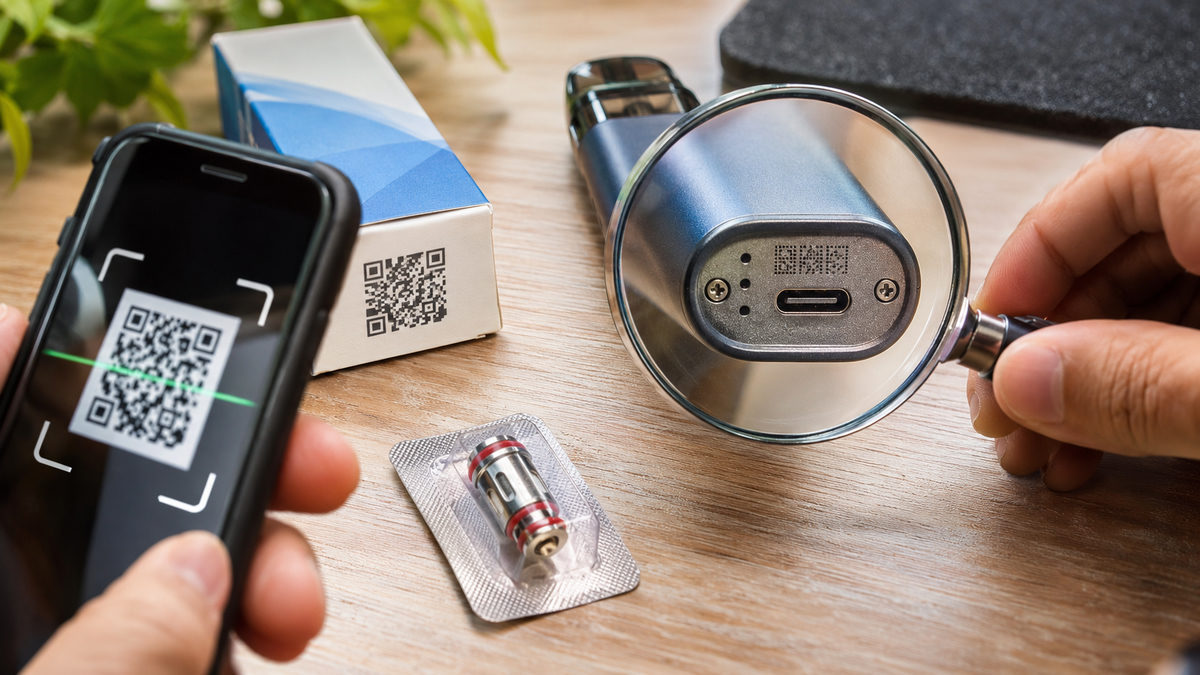
Cover serial and authentication numbers before sharing a photo of your device. Redact QR codes, scratch codes, registration labels, and uniquely numbered warranty stickers as well. Someone could copy those details onto counterfeit packaging or submit them before you get the chance. Public exposure can also make future warranty or authenticity checks more difficult.
A general model number is usually safe to share because many products carry the same one. Still, inspect every photo carefully before posting it. Reflections and high-resolution images sometimes reveal characters that appeared hidden at first. If you are unsure, share only the non-unique model marking and describe the rest of the label privately to official support.
3. How to Interpret a Vape Model Code Step by Step
Start with evidence, not a guessed meaning for every character. Following the same process each time reduces mistakes, especially when several codes sit close together. It can also help support staff confirm your device faster. Use these steps whenever you need an unknown vape device identification.
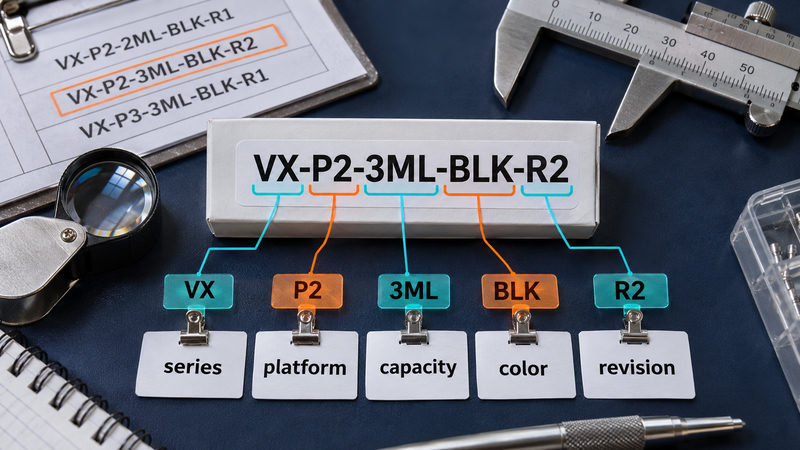
Record the code accurately
- Photograph the marking clearly. Use bright, indirect light and capture the surrounding label.
- Transcribe every character. Preserve spaces, hyphens, slashes, capitalization, and leading zeros.
- Check confusing characters. Compare zero with O, one with I, five with S, and eight with B.
- Record the location. Note whether the code appears beneath the pod, near the charging port, or on packaging.
- Separate nearby markings. Do not combine voltage, resistance, serial, batch, and model information.
Imagine finding NX-P3-800-BK on a fictional package. “NX” might name a series, and “P3” could point to a third pod design. But “800” might refer to battery capacity, puff marketing, or an internal configuration. Even “BK” is uncertain: it could mean black, or it could identify a regional distributor.
These are only hypotheses. Compare the complete code with official manuals, product pages, and package labels before drawing conclusions. A partial match can easily lead you to the wrong generation. If you infer an electrical specification from the code, confirm it somewhere else before using the device.
Compare physical characteristics
Now record the visible details that distinguish one model from another. Look at the device shape, pod connection, screen layout, number of buttons, airflow control, and charging-port type. Note any printed voltage, capacity, and output ranges as well. These clues can reveal when a device does not match its packaging.
- Approximate height, width, and thickness
- Pod shape and contact arrangement
- Button, switch, light, and display locations
- USB connector type and charging markings
- Battery-capacity and output information
- Logo placement and warning-label layout
- Included accessories and package contents
Suppose two products both carry the prefix VX4. One has a side airflow slider; the other uses fixed airflow and has different contacts. Does the shared prefix prove their pods are compatible? No. Those physical differences may point to separate revisions or regional configurations.
Search from narrowest evidence to strongest confirmation
Begin by searching for the complete model string in quotation marks within the manufacturer’s official materials. Compare manuals, support pages, packaging diagrams, and replacement-part tables. Marketplace search results can blend unrelated versions together, so treat seller descriptions and customer posts as clues—not proof.
A code may identify a series, generation, color, capacity, region, revision, or production suffix. Few manufacturers use every field across every product line, though. Some characters exist purely for factory or distribution purposes and may have no public explanation.
If the documentation does not provide an exact match, contact the manufacturer. Share the non-sensitive model marking, purchase region, retailer name, and clear photos of the product. Keep unique serial and authentication codes inside the manufacturer’s private support channel. Before buying a charger, battery, pod, or coil, ask for written confirmation.
4. Reading Coil Markings and Checking Replacement-Part Compatibility
Technical markings on coils and pods matter far more than a similar appearance. A marking such as 0.8Ω gives the electrical resistance in ohms. A range such as 12–18W shows the manufacturer’s recommended operating power. Running outside that range can lead to weak flavor, overheating, leaking, or premature coil failure.
Understand the main markings
- Resistance: Usually shown with the omega symbol, such as 0.6Ω or 1.2Ω.
- Wattage range: Shows the recommended power range for that specific coil.
- Coil family: Identifies the product line or platform that accepts the coil.
- Pod code: Distinguishes pod capacities, generations, resistances, or filling systems.
- Battery rating: May show capacity, voltage, current limits, and cell type.
- Charger specification: States acceptable input, output, polarity, or charging protocol.
- Connector marking: Helps identify physical and electrical connection requirements.
Lower resistance does not automatically deliver better performance. At a given voltage, it often draws more current and may need higher power. The device must safely support that resistance, and the coil’s recommended range must fall within the device’s operating limits.
A pod fitting into the opening does not guarantee compatibility either. Two pods can look right and slide into place while using different contacts, airflow paths, magnets, or electrical requirements. Small changes between generations can make a big difference. Always check the exact pod family, device revision, and manufacturer compatibility table.
Use more than the model identifier
A model code is a useful starting point, but it should not be your only evidence. Compare the part number, coil family, resistance, power range, connector layout, and official compatibility statement. Then check the package details against the markings on the component itself. If something does not match and you cannot explain why, investigate further.
For example, a fictional device called Q-Pod 2 might accept 0.8Ω and 1.0Ω pods. A similarly shaped Q-Pod 2 Mini, however, may have a different contact arrangement. A shared name does not make every part interchangeable. Match the full model description, not just a familiar word or number.
Avoid unsafe substitutions
Never force a coil, pod, battery, cable, or connector into place. Stop if the part rocks, jams, leaks, sparks, or leaves a visible gap. Do not modify contacts, trim plastic, or add adapters unless the manufacturer explicitly approves it. Even a minor physical alteration can bypass built-in protections.
Do not use batteries that are swollen, dented, torn, corroded, or overheating. Avoid unverified chargers too, particularly when the voltage, current, or polarity is unknown. Charge the device on a stable, nonflammable surface and keep it in sight. If it becomes unusually hot or gives off an abnormal smell, disconnect it immediately.
Still unsure about compatibility? Contact the manufacturer or a qualified vape retailer and provide the full non-sensitive model code along with clear photos. Ask the retailer to confirm the exact part number in writing. A careful check is much cheaper than replacing a damaged device.
5. Batch Dates, QR Verification, and Counterfeit Vape Identification
Batch, lot, and manufacturing-date codes can easily be mistaken for model numbers. The code L2607C, for instance, might refer to a production period, facility, line, or internal sequence. There is no formula shared by every manufacturer. Unless official information confirms the format, do not assume the digits represent a date.
Some brands print a clear date, while others rely on an internal coding system. The date on the package may also refer to packaging rather than the production of every component. A battery, liquid, coil, and outer carton can each have separate production records. If age affects a warranty, recall, or safety decision, ask the manufacturer.
Verify QR and scratch codes safely
- Inspect the package before removing seals or exposing scratch panels.
- Navigate to the manufacturer’s official website independently.
- Confirm the domain spelling and secure connection before entering any code.
- Use the official verification page or approved application.
- Scan the QR code only after confirming where it directs you.
- Enter the scratch code privately and record the displayed result.
- Contact official support if the result appears inconsistent or previously checked.
A QR code is just a machine-readable container. It might send you to a genuine page, a malicious copy, or a completely unrelated site. Do not trust a page simply because the package opened it. Check the web address before entering information or downloading a file.
Never provide payment details to “activate” a standard authenticity check. Do not install unfamiliar software from a QR destination, and be wary of pages asking for excessive personal information. A legitimate verification result should not need access to your contacts, messages, or unrelated accounts.
Understand the limits of verification
A valid authentication result is useful evidence, but it is not a complete safety guarantee. Counterfeiters may copy genuine codes from legitimate packages. Someone could also refill authentic packaging with a different product. No successful check can confirm storage conditions, battery damage, or the contents of the liquid.
A failed check does not always prove the product is counterfeit, either. Typing mistakes, regional systems, expired databases, and damaged labels can all cause failures. Try the check again through the official page and keep the packaging. Then ask the manufacturer to review the model, batch, retailer, and private authentication details.
Look for several warning signs
- Broken, doubled, uneven, or missing tamper seals
- Blurry printing, spelling errors, or inconsistent fonts
- Model codes that differ between the device and package
- Missing safety warnings or required regional markings
- Unusually low pricing from an unrecognized seller
- Loose parts, chemical odors, leaking liquid, or damaged batteries
- Verification pages using misspelled or unfamiliar domains
- Repeated-code warnings during official authentication
The retailer matters as well. An authorized seller will usually provide traceable invoices, straightforward return terms, and dependable sourcing information. Polished packaging by itself proves very little. Even regulatory symbols can be copied, misused, or printed for a different market.
If several warning signs show up, stop using the product. Keep it away from heat, children, and pets while you seek guidance. Ask the manufacturer whether it needs photographs or wants the item returned. Follow local requirements when disposing of batteries, nicotine products, and electronic waste.
6. What to Do When a Vape Code Is Missing or Unrecognized
First, gently wipe the exterior with a dry, soft cloth. Angled light or a phone’s close-up camera may bring out faint engraving. Check beneath removable pods and around the base of the device, too. Do not take apart a sealed product just to hunt for a code.
Look across the device, package, receipt, and manual for identifiers that repeat. If part of a code is unreadable, write down only the characters you can see—do not guess the rest. Photograph any scratches or label damage surrounding the marking. Those clues may help official support recognize the correct layout.
- Do not confuse O with 0, I with 1, or B with 8.
- Do not remove hyphens, spaces, prefixes, or leading zeros.
- Do not treat a retailer SKU as the manufacturer’s model.
- Do not assume matching colors mean matching versions.
- Do not publish unique serial, scratch, or authentication codes.
- Do not rely solely on marketplace titles or image searches.
Stop using the product if its identifiers appear altered, duplicated, or intentionally removed. Stop as well if the device leaks, swells, sparks, overheats, or activates without explanation. Missing markings are especially concerning when other signs of counterfeiting are present. Speak with the manufacturer, seller, or a qualified retailer before using it again.
Vape products are for adults only in places where their sale and use are legal. Nicotine can cause dependence and may be dangerous when swallowed or absorbed. Keep devices and liquids locked away from children and pets. Store batteries safely, protect them from extreme temperatures, and follow local disposal requirements.
Conclusion
A vape model code may identify a product family, version, configuration, or regional variant. It is not the same as a serial, batch, SKU, date, firmware, or authentication code. To interpret one reliably, transcribe it exactly, compare the physical product, consult official documentation, and use secure verification tools. When compatibility or authenticity is still unclear, confirmation from the manufacturer is the safest final step.
Write down the exact non-sensitive markings before purchasing a replacement component. Compare them with the manufacturer’s official documentation, then check every relevant electrical specification. If there is any doubt about a coil, pod, battery, or charger, confirm it before use. That brief pause can prevent damage and reduce avoidable safety risks.